
High resolution imagery: print vs screen explained
- 13 hours ago
- 10 min read

TL;DR:
High-resolution images contain enough pixels per unit area to display fine detail at intended sizes or distances. Weddingfilmphotography provides clients with print-ready, high-resolution masters and optimized web files, ensuring quality for both print and digital use. Proper understanding of resolution, pixel dimensions, and color profiles guarantees professional results across various formats and materials.
High-resolution imagery is an image file that contains enough pixels per unit area to render fine detail clearly at its intended viewing distance or print size. Adobe describes high-resolution images as those that appear sharp and contain a high level of detail, particularly when printed. Whether a file qualifies as “high resolution” depends entirely on context: A typical target for a wedding album read at arm’s length is 300 PPI; a lower PPI can look excellent on a wall print viewed from across the room.
Quick check: is your image high resolution?
Pixel dimensions: a few thousand pixels on the long edge are usually sufficient for most print work
PPI at target size: divide pixel width by intended print width in inches; aim for 300 for close-viewed print, 150–200 for large-format
Context: screen delivery needs far fewer pixels than print
Table of Contents
What does high resolution imagery actually mean?
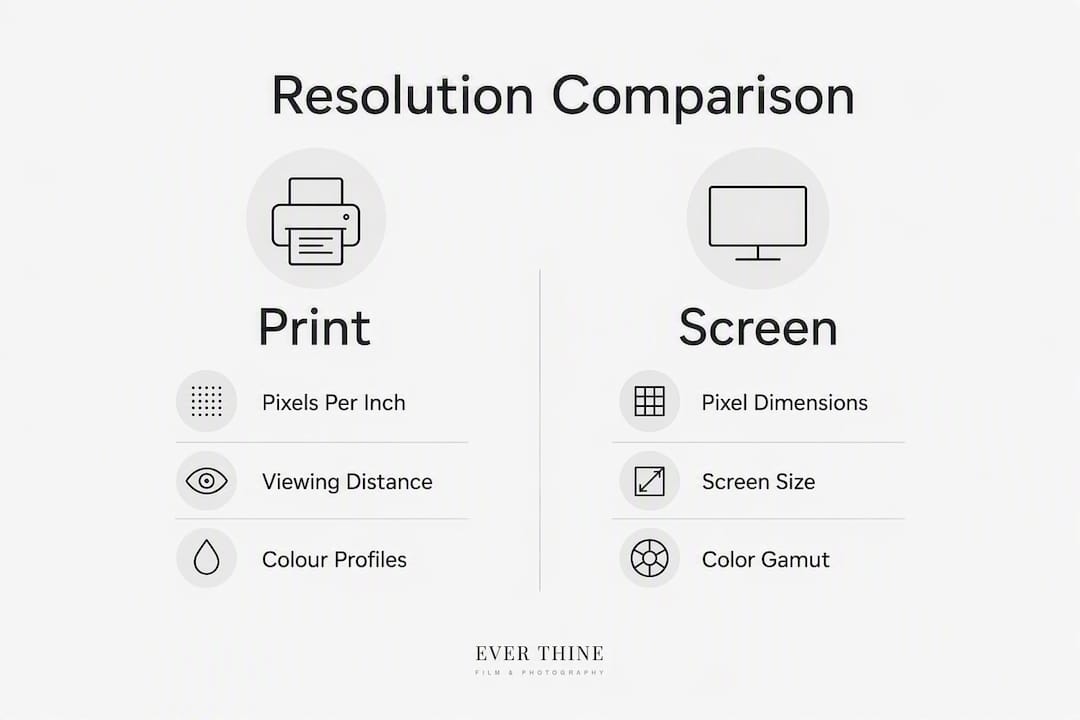
The word “resolution” covers several related but distinct ideas, and mixing them up causes real problems when you send files to a printer.
Pixel and pixel dimensions. A pixel is the smallest addressable unit of a digital image. Pixel dimensions describe the total grid: a 6,000 × 4,000 px file contains 24 million pixels. That raw count tells you the maximum information the file holds, but nothing about how large it will print.
PPI vs DPI. PPI (pixels per inch) is a property of the digital file: it describes how densely pixels are packed into a physical inch when the image is output. DPI (dots per inch) belongs to the printer, not the file. A laser or inkjet printer lays down multiple ink dots to represent one pixel, so DPI values are typically much higher than PPI values. In everyday print preparation, photographers set a PPI target in their file and let the printer’s RIP (raster image processor) handle DPI output. The two terms are frequently used interchangeably in client briefs, which is fine as shorthand, but understanding the distinction prevents you from misreading a printer’s spec sheet.
Spatial resolution. In satellite and aerial imagery, “high resolution” is measured in ground sampling distance: metres per pixel rather than PPI. A satellite image at 0.5 m per pixel resolves objects roughly half a metre across. This is a fundamentally different metric from photographic PPI, though the underlying idea — more detail per unit area — is the same.
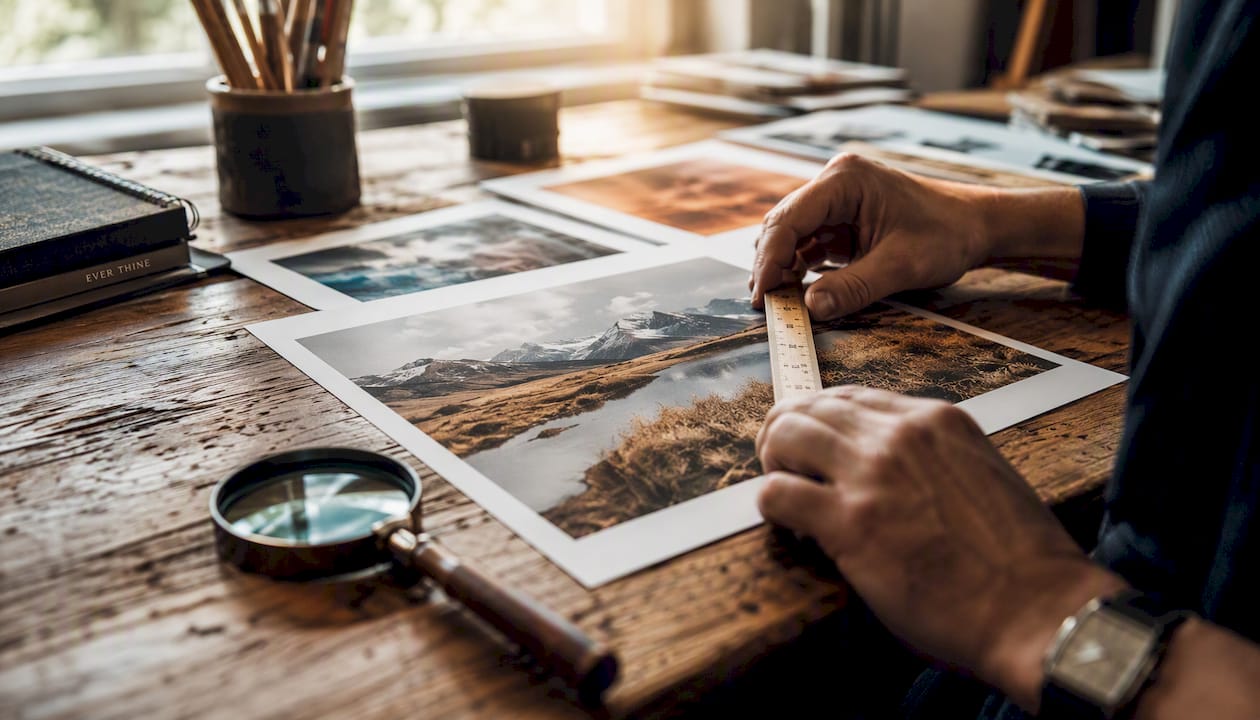
How do you calculate print size from pixel dimensions?
The formula is straightforward:
Print size (inches) = pixel dimension ÷ PPIPrint size (cm) = (pixel dimension ÷ PPI) × 2.54
Worked example: 6,000 × 4,000 px file
PPI | Print width (inches) | Print width (cm) | Typical use |
300 | 20 in | 50.8 cm | Wedding album, book, brochure |
200 | 30 in | 76.2 cm | Framed portrait, quality poster |
150 | 40 in | 101.6 cm | Large wall print, acrylic panel |
100 | 60 in | 152.4 cm | Exhibition banner, canvas |
So a 6,000 × 4,000 px image printed at 200 PPI yields a 30 × 20 inch print. Drop to 150 PPI and the same file reaches 40 × 27 inches — perfectly acceptable for a wall piece viewed from a metre or more away.
For metric working, the reverse formula finds the minimum pixel count for a given print size: (cm ÷ 2.54) × PPI = pixels required. A 60 cm edge at 150 PPI needs at least 3,543 px on that side.
When is an image genuinely high resolution?
“High resolution” has no single universal threshold. The number that matters shifts with viewing distance and output material.
Print benchmarks
Material | Recommended PPI | Viewing distance |
Wedding album / book | 300 | ~30 cm (arm’s length) |
Framed A4 / A3 print | 200–300 | ~50 cm |
A2 poster / acrylic | 150–200 | 1–2 m |
Canvas / large wall art | 100–150 | 2 m+ |
Exhibition / fine art | 300–600 | Variable |
300 DPI is the traditional anchor for close-viewed materials such as magazines and books read at 25–30 cm. For wall pieces viewed from 1–2 m, 150–200 DPI is typically sufficient and reduces file size considerably.
Screen benchmarks
For digital display, pixel dimensions matter more than PPI. Full HD covers a standard monitor; 4K is a common broadcast and display standard; 8K is used in high-end production. A 6,000 × 4,000 px image generally qualifies as high resolution for current screens, exceeding typical 4K dimensions.

Archive masters, fine art reproductions, and exhibition prints push targets higher still — 400–600 PPI for work that will be examined at very close range.
How do you check whether your image is high resolution?
Checklist:
Open file properties (Windows: right-click → Properties → Details; Mac: Get Info or Preview → Tools → Inspector) and note pixel dimensions
Check embedded PPI in Photoshop (Image → Image Size) or in Preview on a Mac
Calculate print size: pixel width ÷ target PPI = print width in inches
Preview at 100% zoom on screen — viewing at 100% is a reliable sharpness check before sending to print
Confirm with your printer: provide pixel dimensions, intended print size, and paper or material type
For web-based checks, tools such as TechSmith’s Snagit and Adobe Photoshop both display pixel dimensions and embedded resolution in their file-info panels.
Pro Tip: Spot an upscaled or heavily compressed file by zooming to 200% in Photoshop. Genuine high-resolution captures show fine grain or subtle texture; upscaled files show a smooth, slightly waxy look, and heavily compressed JPEGs show blocky artefacts around edges and in flat colour areas.
Which file formats and colour profiles should you use?
Format choice determines how much of that pixel information survives from capture to output.
For masters and print: RAW files preserve every bit of sensor data and are the starting point for any serious print workflow. TIFF is the archival delivery format: lossless, widely supported by printers, and able to carry embedded colour profiles. For print jobs, embed the correct profile and avoid re-saving as JPEG repeatedly — each save cycle with lossy compression discards detail.
For screen delivery: JPEG at high quality (80–95 in Photoshop’s scale) is the practical standard for web images. PNG suits graphics with flat colour or transparency. Both use the sRGB colour profile for screen, since most monitors and browsers interpret sRGB correctly.
Colour profiles matter. sRGB covers the gamut most screens display. Adobe RGB captures a wider range, useful when editing images destined for high-quality print. ProPhoto RGB is even wider, used for editing masters before converting down. CMYK is the colour model used in commercial offset printing; converting from RGB to CMYK before sending to a commercial printer avoids colour shifts. Consistent colour profiles signal professional quality and preserve the accuracy of skin tones across print and screen.
For colour grading and profile management in film and photography workflows, the principle is the same: choose the profile that matches the output, not the one that looks brightest on your editing monitor.
How do you create genuinely high-resolution images?
Upscaling a small file is not the same as capturing a large one. Here is the order of operations that actually works:
Shoot RAW. RAW files retain all sensor data and give you full control over sharpening, noise reduction, and colour in post. A well-executed RAW workflow preserves fine detail that JPEG in-camera processing can soften.
Nail exposure and focus — A technically sharp, correctly exposed RAW file at 20 MP outperforms a 45 MP file that is slightly soft or underexposed. Noise from high ISO settings reduces effective resolution even when pixel count is high.
Pro Tip: Apply output sharpening as the final step, after resizing, not before. Sharpening a large master then scaling it down softens the effect; sharpening the resized export gives you precise control over how the image looks at its final dimensions.
When does resolution matter, and when is it wasted?
Print work is where high resolution earns its keep. Wedding albums, acrylic wall panels, fine art prints, and large-format exhibition pieces all require genuine pixel density because the viewer is close and the material is unforgiving. A 40 × 60 cm album spread printed at high PPI requires pixel dimensions achievable by modern mirrorless or DSLR sensors.
Digital delivery is a different story. Social media platforms compress and resize images on upload regardless of what you send. A 6,000 px wide image uploaded to Instagram is resampled to a fraction of that. Sending a 50 MB TIFF to a client for WhatsApp preview is counterproductive: it slows delivery, fills storage, and looks identical to a well-compressed JPEG at 2,000 px wide.
The practical answer is separate assets. Keep a high-resolution archive for print orders and future use; distribute optimised files for web and social. Over-optimising pixel density for web assets harms performance without improving perceived quality.
Image quality is more than resolution alone
Resolution is necessary but not sufficient. A 45-megapixel file that is slightly out of focus, underexposed, or colour-shifted will look worse in print than a sharp, well-exposed 20-megapixel file.
“True image quality combines resolution with colour accuracy, exposure and composition — resolution alone does not guarantee a professional result.” — Eye Media Studios
Practical corrective steps: calibrate your monitor with a hardware colorimeter (X-Rite ColorChecker or Datacolor Spyder) so what you see matches what prints. Choose paper stock that suits the image — a matte fine-art paper forgives slight softness; a glossy acrylic surface amplifies every flaw. Confirm colour profiles with your printer before a large run, not after. And never ignore viewing distance: a 150 PPI wall print that looks soft at 30 cm looks perfectly sharp at 1.5 m.
Key takeaways
High-resolution imagery requires the right pixel density for the specific output: Higher PPI values are recommended for close-viewed print, and lower PPI ranges are often used for large-format prints viewed from a distance, wall work, and sufficient pixel dimensions for the target screen resolution.
Point | Details |
300 PPI for close-viewed print | Use 300 PPI for albums, books, and brochures read at arm’s length. |
150–200 PPI for large-format | Wall prints and acrylic panels viewed from 1–2 m look excellent at 150–200 PPI. |
Pixel dimensions first | Divide pixel width by target PPI to confirm a file will print at the required size. |
Preserve a high-res master | Archive a full-resolution TIFF or RAW; export downsized variants for web and social. |
Weddingfilmphotography delivers both | The studio provides print-ready masters and optimised web files as standard for every wedding. |
Resolution in wedding photography: a perspective worth sharing
The conversation around resolution in wedding photography tends to focus on megapixels, and couples often ask whether a higher number means better photos. It does not, at least not in the way most people assume.
What actually determines whether a wedding image looks extraordinary on a 60 × 90 cm wall print is the combination of native sensor resolution, lens sharpness, exposure accuracy, and colour management through the entire workflow. A 24-megapixel file captured at the right moment, in the right light, with the right lens, will outperform a 50-megapixel file taken in a hurry with a soft aperture.
The more useful question couples should ask is not “how many megapixels?” but “will I receive print-ready files, and what is the largest size I can order?” Those are questions about workflow, not just hardware. Studios that deliver RAW-sourced TIFF masters with embedded colour profiles, alongside optimised web files, are giving clients something genuinely durable: images that can be reprinted at larger sizes years from now as display technology improves.
The benefits of professional wedding photography extend well beyond the day itself. A well-managed high-resolution archive is an asset that compounds in value over time.
Weddingfilmphotography: print-ready wedding images from day one
Every wedding photography and videography package from Weddingfilmphotography includes full-resolution masters prepared for print, alongside optimised files for sharing and social media. Couples receive TIFF-quality print-ready images sized for albums, wall art, and large-format acrylic prints, with embedded colour profiles that match professional print labs.
[
There is no extra step to request a print-ready version: it is part of the standard delivery. If you are planning a wedding in Staffordshire, Derbyshire, or across the West Midlands and want to know exactly what file sizes and formats you will receive, the wedding photography service page for Derbyshire sets out the full package detail. Couples in Staffordshire can view the Staffordshire service page to check availability and start a conversation about your day.
Useful sources
Further reading from the authoritative sources used in this article:
Hi Res Meaning: What is a High-Resolution Image? (Adobe) — Adobe’s plain-language definition of high-resolution images and how PPI links pixel count to print size.
What does resolution mean? Image resolution guide (Adobe) — Detailed Adobe guidance on pixel dimensions, PPI, and the 100% preview method.
Mastering high quality printing: a comprehensive technical handbook (Thinktop Print) — Technical handbook covering DPI thresholds, viewing distance, and colour profile guidance for professional print.
DPI vs PPI (Connect Media Group) — Clear UK-based explainer on the difference between printer DPI and file PPI.
How to assess photography print quality in 2026 — Practical guidance on evaluating print quality and materials when choosing size and finish.
Printer note: always confirm exact DPI or PPI requirements directly with your print lab or printer before submitting files for large or high-value print runs. Requirements vary by material, machine, and finish.
FAQ
What is high-resolution imagery?
High-resolution imagery is a digital image that contains enough pixels per unit area to reproduce fine detail clearly at its intended print size or viewing distance. Adobe defines high-resolution images as those that appear sharp and contain a high level of detail, especially when printed.
What pixel count counts as high resolution?
For print, a file with a few thousand pixels on the long edge is a practical starting point; 300 PPI at the target print size is the standard for close-viewed materials such as albums and books. For screen, pixel dimensions matter more than PPI, with Full HD as a common standard for digital display.
What are examples of high-resolution images?
A 6,000 × 4,000 px RAW file from a modern mirrorless camera, a 300 PPI TIFF prepared for a wedding album, or a 4K video frame are all practical examples of high-resolution imagery in common use.
What is resolution in imagery?
Resolution in imagery describes the amount of detail an image holds, measured as pixel dimensions (total pixels), PPI (pixels per inch in a digital file), or ground sampling distance (metres per pixel in satellite imagery). Higher resolution means more detail is captured per unit area.
Does Weddingfilmphotography deliver high-resolution files?
Yes. Every package includes full-resolution print-ready masters alongside optimised web files, so couples have the right file for albums, wall art, and digital sharing without needing to request separate versions.
Recommended