
What is a wedding slideshow? A complete UK guide

TL;DR:
Wedding slideshows are crafted narratives combining photos, videos, and music to tell the couple’s story.
A well-structured slideshow follows a Past, Present, Future framework to evoke genuine emotion.
Choosing between DIY or professional creation depends on your time, technical skill, and desired quality.
Many couples assume a wedding slideshow is just a dated PowerPoint of holiday snaps. In reality, it is one of the most quietly powerful storytelling tools available at a modern wedding. A wedding slideshow is a digital presentation combining photos, videos, and music to narrate the couple’s journey, and when done well, it stops a room. This guide covers everything you need to know: what a wedding slideshow actually is, how to structure one that moves people, the best software to use, and whether to go DIY or bring in a professional.
Table of Contents
Key Takeaways
Point | Details |
Storytelling is key | A wedding slideshow is most powerful when it narrates your journey as a couple, not just displays random photos. |
Quality and timing matter | Use carefully selected media and keep the runtime between three and five minutes for the best guest experience. |
DIY or professional—your choice | Choose the approach that fits your budget, tech skills, and desired finish, knowing both can deliver memorable results. |
Authenticity over perfection | Include genuine moments and avoid over-editing—for a slideshow that connects with family and friends. |
What is a wedding slideshow?
At its simplest, a wedding slideshow is a curated sequence of images and video clips set to music, displayed on a screen during your celebration. It is not a random dump of Facebook photos. It is a crafted narrative. A wedding slideshow combines photos, videos, and music to narrate the couple’s journey, often shown at the reception during a meal or between speeches.
The components that make it work are straightforward:
Photos: Childhood pictures, early relationship moments, engagement shots, and candid day-of images
Video clips: Short snippets from home videos, engagement shoots, or even voice notes from loved ones
Music: Carefully chosen tracks that reflect your relationship, from the song on your first date to a shared favourite artist
Text overlays: Dates, names, or short captions that add context without overwhelming the visuals
In the UK, weddings are increasingly personal affairs. With UK weddings averaging £23,000 to £28,000, couples are understandably selective about where that money goes and what creates genuine impact. A slideshow costs relatively little compared to other elements, yet it delivers something no centrepiece or floral arch can: a shared emotional experience that every single guest participates in simultaneously.
“The slideshow was the moment everyone in the room cried together. Even my uncle who said he doesn’t do emotions.” — A sentiment we hear from couples time and again.
Slideshows are typically shown during the drinks reception, before the wedding breakfast, or as a quiet backdrop during the meal. Some couples use them as a late-evening surprise. The flexibility is part of their appeal. Wedding storytelling in this format connects your history with the present moment, giving guests who may not know both families a window into who you are as a couple.
The growing trend for personalisation in UK weddings has made slideshows more popular than ever. Guests genuinely value these touches because they shift the focus from spectacle to story.
How a wedding slideshow tells your story
Defining a slideshow is easy. Making one that actually moves people is a different matter entirely. The secret lies in structure. A well-built slideshow follows a clear narrative arc, and the most effective approach is the Past, Present, Future framework.
Here is how to apply it:
Past: Begin with childhood photos of each partner separately. Keep these light and warm. A few images each is enough.
Early relationship: Move into how you met, your first adventures together, early holidays, or group shots with friends who matter.
Present: Your engagement, proposal moment if captured, and engagement shoot images. This is where emotion peaks.
Future: Close with a forward-looking image or a short video message, perhaps a clip of your venue or a note about what comes next.
The past-present-future approach keeps emotional authenticity intact and avoids the over-edited, overloaded slideshows that lose their audience halfway through. Prioritise story over quantity. Thirty beautifully chosen images will always outperform one hundred rushed ones.
Music is equally critical. Choose tracks that shift in tone as the slideshow progresses. Something nostalgic for the childhood section, something joyful for the relationship years, and something meaningful for the finale. Avoid songs with distracting lyrics during emotional peaks as the visuals should lead.

Pro Tip: Aim for one photo every four to six seconds. Any faster and guests cannot absorb the images. Any slower and attention drifts. For a five-minute slideshow, that means roughly 50 to 75 images total.
Understanding the wedding video storytelling process can help you apply the same principles to your slideshow. You might also find storytelling wedding video examples useful for inspiration on pacing and structure. If you are still searching for your angle, exploring wedding story inspiration can help you identify the moments that define your relationship.
Step-by-step: Creating your perfect wedding slideshow
Understanding the story is only the beginning. Now it is time to bring it to life.
Gather your media: Collect high-quality photos and short video clips from childhood, your relationship, and your engagement. Ask family members for old prints and digitise them using a flatbed scanner or a scanning app.
Choose your software: Select a tool that matches your technical comfort level. See the comparison below.
Select your theme and music: Most platforms offer themed templates. Choose one that suits your wedding aesthetic, then layer your chosen music tracks.
Edit with transitions and text: Keep transitions simple. A clean fade is almost always better than a dramatic wipe or spin. Add minimal text overlays where context genuinely helps.
Test and display: Export in the highest resolution available, ideally MP4 at 1080p or higher, and test it on the actual venue screen before the day.
Software | Rating | Best for | Pricing model |
Animoto | Templates and ease | Subscription | |
Smilebox | 8.2/10 | Sharing and social | Subscription |
Canva | Strong | Design flexibility | Free or Pro tier |
Movavi | Highly rated | One-off purchase | One-time buy |
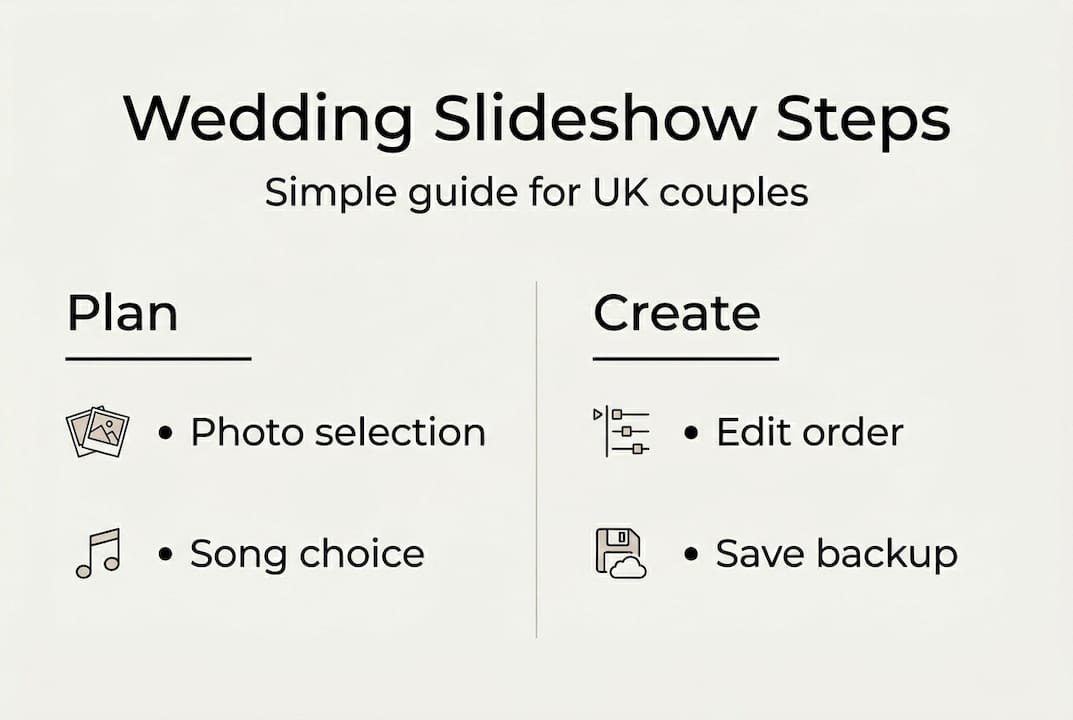
Pro Tip: Always keep a backup copy of your finished slideshow on a USB drive and in cloud storage. Venue Wi-Fi can be unreliable, and a direct file avoids the risk entirely.
For more detail on the editing side of things, the wedding video editing tips on our site translate directly to slideshow work. You can also explore creative wedding editing approaches for ideas on how to make your presentation feel cinematic rather than functional.
DIY vs professional slideshows: What’s right for you?
Once you know how to make a slideshow, the next question is who should actually create it.
DIY tools offer real advantages. You control every image, every transition, and every song choice. The cost is low, often just a monthly subscription or a one-off software purchase. The trade-off is time and technical confidence. If you have never edited video before, the learning curve can add unexpected stress in the weeks before your wedding.
Professional slideshow creation, often offered as part of a wider videography package, brings a different set of benefits:
Polished editing with professional-grade colour grading and audio balancing
Experience with venue display equipment and format compatibility
Same-day edit capability, which requires professional skills and is not realistic for most DIY attempts
A finished product that matches the quality of your other wedding films
Factor | DIY | Professional |
Cost | Low to moderate | Higher, often bundled |
Time required | Significant | Minimal for couple |
Quality ceiling | Good | Excellent |
Technical support | Self-managed | Included |
Flexibility | Full control | Collaborative |
The DIY versus professional debate often comes down to one question: how much of your pre-wedding time do you want to spend on this? If you enjoy creative projects and have a few evenings free, DIY is genuinely achievable. If your schedule is already full, or you want the slideshow to match the quality of your photography and film, a professional is worth the investment. Exploring professional wedding video creation can help you understand what that process looks like in practice.
Expert tips for ensuring your slideshow is a hit
Whether you go DIY or professional, small details make all the difference.
Runtime matters more than you think. For most UK receptions, three to five minutes is the sweet spot. Shorter for larger crowds where attention is harder to hold, slightly longer for intimate gatherings where guests are invested in every face on screen.
Here is a quick checklist for your final review:
Test the slideshow on the venue’s actual projector or screen, not just your laptop
Confirm the audio output is connected and the volume is appropriate for the room size
Check that all images are sharp and correctly oriented, no sideways holiday snaps
Ensure the file format is compatible with the venue’s playback system
Have a backup copy on both USB and cloud storage
Pro Tip: Brief your venue coordinator or a trusted guest on how to start the slideshow. On the day, you will be busy. The last thing you want is to be fiddling with a laptop in your wedding outfit.
Guest engagement is also worth considering. A short verbal introduction from your MC or best man before the slideshow begins gives guests permission to stop their conversations and pay attention. It transforms a background display into a shared moment. For ideas on capturing the images that make slideshows truly special, the wedding storytelling photography steps guide is well worth a read.
Why the best wedding slideshows prioritise genuine emotion over perfection
Here is something we have noticed after years of working with couples: the slideshows that make people cry are rarely the most technically polished ones. They are the ones with the slightly blurry photo of a grandmother laughing, or the shaky home video clip from a first holiday together.
There is a common misconception that a high-quality slideshow means a perfectly edited, flawlessly produced one. It does not. Perfection can actually work against you. When everything looks too clean, it loses the texture of real life, and it is that texture that creates genuine emotional resonance.
We once saw a slideshow that included a voicemail from a late parent. It was imperfect audio, recorded years before. The room was completely silent. No amount of polished transitions could have achieved that. Real wedding video inspiration consistently shows that authenticity outperforms production value when it comes to emotional impact.
Our honest advice: do not discard the imperfect images. They are often the most powerful ones in the room.
Bring your wedding story to life with expert guidance
If this guide has inspired you to create something truly memorable, you do not have to do it alone. At weddingfilmphotography.com, we specialise in capturing and crafting the kind of authentic, emotional content that makes wedding slideshows genuinely moving.
[
Whether you are based in the Midlands or beyond, our team works with couples across the region as a trusted Staffordshire wedding photographer, Derbyshire wedding photographer, and Worcestershire wedding photographer. From engagement shoots to cinematic wedding films, we provide the raw material that makes a slideshow unforgettable. Get in touch to discuss your vision and explore how we can help bring your story to life.
Frequently asked questions
How long should a wedding slideshow be for a UK reception?
Three to five minutes is ideal for most UK receptions, keeping guests engaged without losing their attention. Larger crowds benefit from the shorter end of that range.
What software is best for making a wedding slideshow?
Animoto rates 9.4 out of 10 and Smilebox scores 8.2 out of 10 for ease and templates, while Movavi is a strong choice if you prefer a one-off purchase rather than a subscription.
Can I include video clips alongside photos in the slideshow?
Yes. Most modern slideshow software supports both photos and video clips, allowing you to create a richer, more dynamic presentation that feels closer to a short film.
Should I hire a professional or do it myself?
DIY tools offer control at lower cost, but professionals bring technical polish, format compatibility, and the ability to handle same-day edits. Your decision should rest on available time and how much the finished quality matters to you.
How far in advance should I prepare the slideshow?
Start gathering photos and planning your edit at least two months before the wedding. This gives you time to digitise old prints, source images from family, complete revisions, and run a full technical test at your venue.
Recommended


Comments