
How to review wedding photo proofs: 2026 guide
TL;DR:
Wedding photo proofs are watermarked, low-resolution images used for selection before final editing begins. Reviewing them requires a proper screen, understanding their purpose, and structured feedback to ensure the best final album. Combining live review calls with asynchronous selection offers the most efficient and clear proofing process.
Wedding photo proofs are the preliminary, watermarked images your photographer delivers for review before final editing and retouching begins. Knowing how to review wedding photo proofs correctly is the difference between a finished album that moves you to tears and one that leaves you wondering what you missed. The process is more structured than most couples expect. Platforms like Pixieset deliver your gallery online, and the decisions you make during this stage directly shape every print, album page, and framed image you will own for the rest of your life. This guide gives you a clear, step-by-step method to assess your images with confidence.
What do you need before reviewing wedding photo proofs?
Preparation determines how smoothly your proof review goes. Three things matter most: the right screen, access to your gallery, and a clear understanding of what proofs actually are.
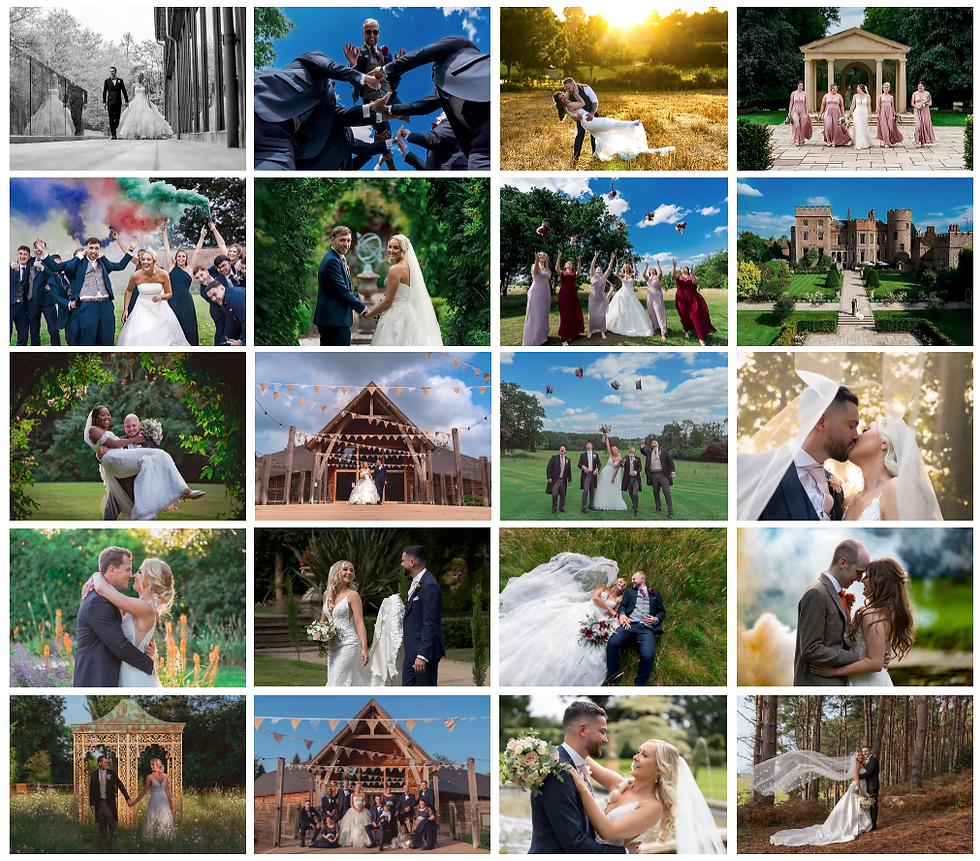
Use a proper screen, not your phone. Viewing proofs on a larger, calibrated screen reveals true colours and detail that a smartphone simply cannot show accurately. Colours shift on small screens, shadows lose definition, and you will make feedback decisions based on a distorted version of the image. Use a laptop or desktop monitor wherever possible.
Understand what proofs are and are not. Proofs are low-resolution, watermarked JPEGs intended only for selection and review, not for downloading, sharing, or editing. They exist to protect image quality and manage expectations before final retouching. Treating them as finished photographs leads to frustration and confusion.
Get comfortable with your gallery platform. Most photographers deliver proofs through platforms like Pixieset or Shootproof, both of which include favouriting or heart-tagging features. These tools are your primary selection mechanism. Learn how to use them before your review session begins.
Here is a quick checklist to prepare:
Access your gallery on a laptop or desktop with a good quality screen
Confirm your login details and password from your photographer
Read any instructions your photographer has included with the gallery
Note the deadline for returning your selections
Prepare a simple document or notes app for written feedback
Pro Tip: Book a pre-wedding consultation with your photographer before the wedding to discuss the proofing process in advance. Knowing what to expect makes the review feel far less daunting.
How to select your favourite wedding photos step by step
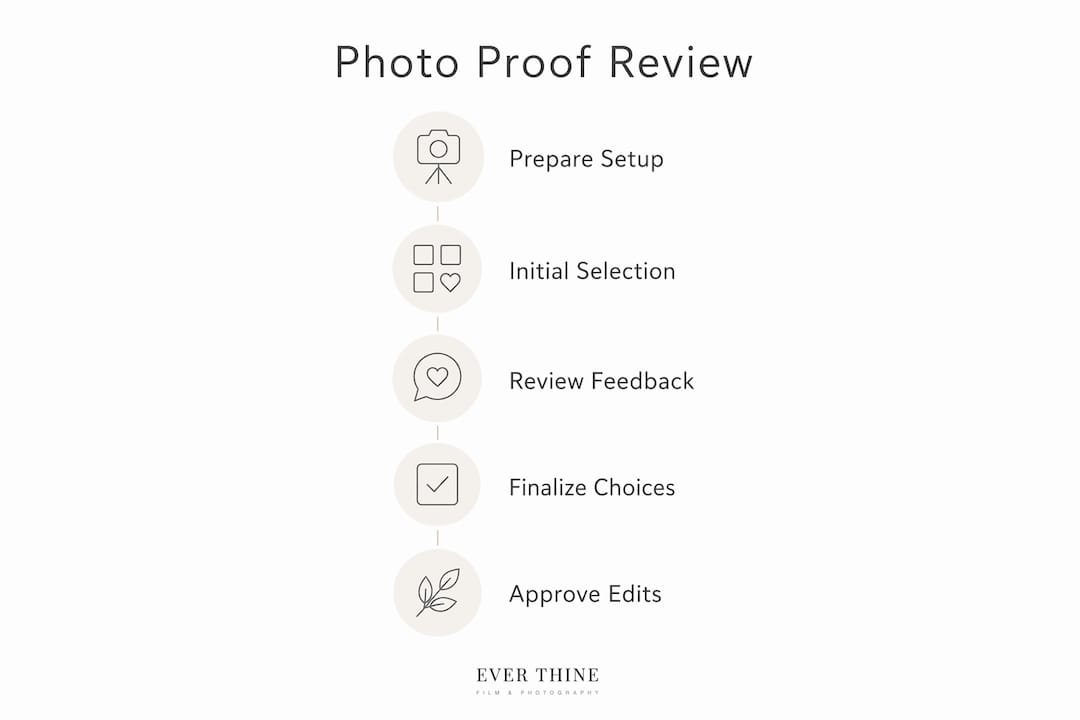
A structured approach to your wedding photo selection guide prevents overwhelm and produces better decisions. Follow these steps in order.
Open the full gallery without selecting anything. Scroll through every image once without stopping to favourite or judge. This gives you a complete picture of what exists before you start narrowing down.
Favourite your top images on the first pass. Selecting a top set of favourites before a comprehensive review prevents decision fatigue and accelerates the approval process. Aim for roughly 50 images on this first pass. Do not overthink it. Go with your gut.
Confirm your must-have shots are included. Cross-reference your favourites against your original must-have list. Family formals, detail shots of the rings and dress, and key ceremony moments should all be present. If any are missing, note them specifically.
Schedule a live review call with your photographer. Booking a 45–75 minute viewing call within 14 days of gallery delivery reduces 4–12 hours of email back-and-forth and helps finalise selections efficiently. Use this call to walk through your favourites together, discuss any missing shots, and confirm revision requests in writing.
Provide precise, written editing feedback. Vague comments like “this one looks a bit off” give your photographer nothing to work with. Clear editing notes such as “crop tighter on left” or “warm skin tone slightly” are far more effective. Write these down during or immediately after your review call.
Confirm revision rounds and deadlines. Ask your photographer how many rounds of revisions are included and when final approval is due. Missing deadlines can delay your album by weeks.
The table below shows a typical timeline for the proof review process:
Stage | Typical Timeframe |
Gallery delivery after wedding | 4–8 weeks |
First favourites selection | Within 7 days of delivery |
Live review call | Within 14 days of delivery |
Written revision requests submitted | Same day as review call |
Final image delivery after revisions | 2–4 weeks after approval |
Pro Tip: When reviewing wedding photo albums for print, pay close attention to horizontal versus vertical image orientation. Album layouts depend on this, and changing orientations late in the process can disrupt the entire design.
What are the most common mistakes when reviewing wedding proofs?
Most couples make the same handful of errors during the proofing stage. Recognising them in advance saves time and prevents disappointment.
Treating proofs as final images. Proofs are not final images; they are watermarked and low-resolution to protect quality before final edits. Do not share them publicly, post them to social media, or attempt to edit them yourself. Doing so creates confusion and can damage the working relationship with your photographer.
Ignoring the pre-print checklist. Professional photographers use a pre-print checklist verifying album photo flow, spelling, DPI, and bleed margins before requiring written final approval. You should review this carefully. A missed spelling error in a name or date on an album page is expensive to correct after printing.
Giving vague feedback. Comments like “I don’t love this one” or “can you make it look better?” waste everyone’s time. Be specific about what you want changed and why.
Rushing the final approval. Skipping a thorough check before giving written approval is one of the most costly mistakes couples make. Once you confirm “this version is approved for print,” reprints are your financial responsibility.
Keeping feedback scattered across multiple channels. Sending some notes by email, others by text, and more by voice note creates chaos. Keep all feedback in one written document and share it with your photographer in a single message.
“The gallery review combines extensive shooting and editing hours with the couple’s decision capacity. A guided, timed process prevents overwhelm and speeds approvals.” Tov Studio Photo
Setting limits on the number of favourite photos and deadlines prevents decision paralysis and speeds up the proofing workflow significantly. If your photographer has not set a limit, set one yourself.
Live review calls vs asynchronous proofing: which works better?
The method you use to review your proofs affects both the quality of your decisions and how long the process takes. There are two main approaches.
Factor | Live Review Call | Asynchronous Review |
Typical duration | 45–75 minutes | Up to 30 days |
Decision quality | Higher, guided collaboration | Variable, prone to stalling |
Revision clarity | Discussed and confirmed in real time | Risk of misunderstanding written notes |
Flexibility | Requires scheduling | Review at your own pace |
Speed to final approval | Faster overall | Can extend timeline significantly |
Live calls deliver faster collaboration while asynchronous options accommodate flexible schedules. The trade-off is clear. A live call compresses 4–12 hours of email exchanges into a single focused session. That efficiency matters when you are waiting for your final images.
Asynchronous review works well for couples with demanding schedules or those in different time zones from their photographer. The risk is that written feedback without real-time dialogue often leads to misunderstandings. A note like “brighten this image” means different things to different people. On a live call, you can share your screen, point to specific areas, and confirm the edit together.
The best practice for assessing wedding photos is to combine both methods. Do your initial favouriting asynchronously at your own pace, then bring your shortlist to a live call for final decisions and revision requests. This approach captures the flexibility of one and the clarity of the other.
Key takeaways
Reviewing wedding photo proofs well requires preparation, structured selection, precise feedback, and a clear understanding of what proofs are and are not.
Point | Details |
Prepare your setup | Use a calibrated laptop or desktop screen, not a smartphone, for accurate colour review. |
Select favourites first | Tag roughly 50 images on a first pass to prevent decision fatigue before your review call. |
Book a live review call | A 45–75 minute call within 14 days of delivery replaces hours of email back-and-forth. |
Give specific written feedback | Notes like “crop tighter on left” produce better results than vague aesthetic comments. |
Never rush final approval | Check every detail before confirming print approval, as reprints are costly and avoidable. |
Why the proof review is more creative than couples expect
Most couples approach their proof review with a sense of dread. They expect to feel overwhelmed by hundreds of images and paralysed by the pressure of choosing correctly. What they discover instead is that the process is genuinely enjoyable when approached with the right mindset.
The thing I have noticed, working with couples through this stage, is that the first pass through the gallery is almost always emotional. You are seeing your wedding day through someone else’s eyes for the first time. That moment when you spot a candid shot you had no idea was taken, or a look between you and your partner that you had completely forgotten, is unlike anything else. That is the moment the proof review stops feeling like a task and starts feeling like a gift.
My honest advice is this: do not try to be objective. You are not selecting images for a stock library. You are choosing the photographs that will sit on your walls, fill your albums, and be shown to your children. If an image makes you feel something, it belongs in your selection. If it does not move you at all, it probably does not need to be there regardless of how technically perfect it is.
The couples who get the most from their proof review are the ones who treat it as a conversation with their photographer rather than a transaction. Come to your review call with questions, with observations, and with a genuine curiosity about the images. Your photographer has spent hours editing this gallery. They want to hear what resonates with you.
One practical thing I always recommend: review your proofs at least twice before your live call. The first pass is emotional and instinctive. The second pass is where you catch the images you nearly missed and reconsider the ones you over-selected. The gap between those two passes is where your best decisions happen.
— Ever
Work with a photographer who guides you through every step
Choosing images that represent your wedding day is a decision you will live with for decades. Weddingfilmphotography makes that process straightforward and personal, with structured review sessions built into every package.
[
Based in Staffordshire and covering Derbyshire weddings, Staffordshire, and Worcestershire, Weddingfilmphotography offers documentary-style coverage with a guided proofing experience included as standard. You will never be left to navigate your gallery alone. From your first favourites to your final album approval, the team walks alongside you at every stage. Get in touch to discuss your date and find out how the process works from the very first consultation.
FAQ
What are wedding photo proofs?
Wedding photo proofs are low-resolution, watermarked preview images delivered by your photographer for selection and feedback before final editing begins. They are not finished photographs and should not be shared publicly or edited.
How many photos should i select from my wedding proofs?
Start by tagging roughly 50 favourites on your first pass through the gallery. This prevents decision fatigue and gives you a manageable shortlist to refine during your review call with your photographer.
How long does a wedding photo proof review take?
A structured live review call typically takes 45–75 minutes and covers favourites, must-have shots, and revision requests in one session. Asynchronous review can take up to 30 days depending on the couple’s availability.
Can i edit my wedding photo proofs myself?
No. Proofs are watermarked and low-resolution specifically to prevent editing before final retouching. Attempting to edit them yourself causes workflow problems and does not reflect the quality of the finished images.
What happens after i approve my wedding photo proofs?
Once you give written approval, your photographer proceeds with final retouching and high-resolution delivery. For album orders, a pre-print checklist covering layout, resolution, and spelling is completed before the album goes to print.
Recommended


Comments